
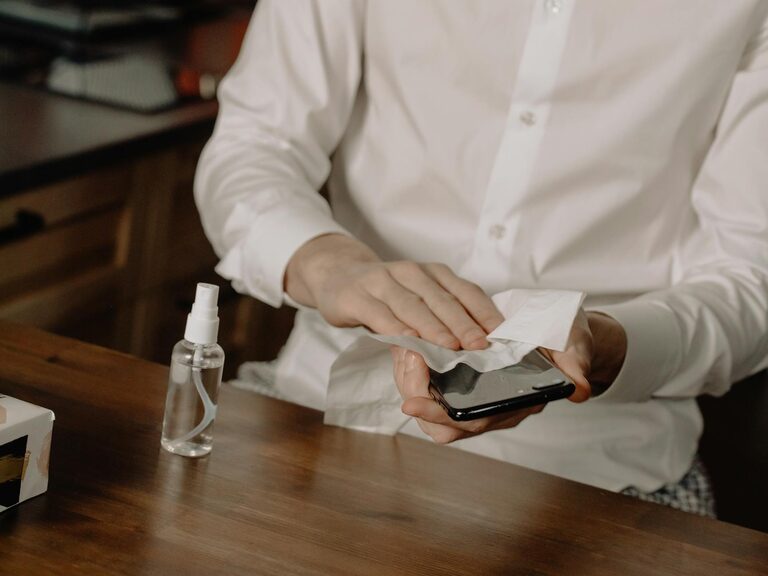
Keeping your phone and keyboard clean is essential for both hygiene and device longevity. These gadgets are touched frequently throughout the day, accumulating dirt, oils, and germs. However, cleaning them improperly can cause damage. In this post, we’ll guide you through safe and effective ways to clean your phone and keyboard, helping you maintain a healthy workspace and prolong the life of your devices.
Why You Should Clean Your Devices Regularly
Phones and keyboards are hotspots for bacteria because they come into contact with your hands and various surfaces. Routine cleaning helps:
– Remove germs that can cause illness
– Improve device performance by preventing buildup
– Keep your devices looking new and working well
– Enhance your overall workspace hygiene
General Precautions Before Cleaning
Before you start, keep these important guidelines in mind:
– Always power off your device before cleaning.
– Unplug keyboards from the computer.
– Avoid using harsh chemicals, bleach, or abrasive materials.
– Never spray cleaning liquids directly onto your devices.
– Use gentle materials like microfiber cloths.
– Check your device’s manual for any manufacturer cleaning recommendations.
How to Clean Your Phone Safely
Phones are made of sensitive materials like glass and metal, and might have coatings that require gentle care.
What You’ll Need
– Soft microfiber cloth
– Distilled water
– Isopropyl alcohol (70% or less)
– Cotton swabs
– Small bowl
– Compressed air (optional)
Step-by-Step Cleaning Guide
- **Power Off the Phone**
Turn off your phone to avoid accidental taps or damage.
- **Remove the Case**
If you use a phone case, remove it to clean both the phone and case thoroughly.
- **Prepare Cleaning Solution**
Mix equal parts distilled water and isopropyl alcohol in a small bowl.
- **Wipe the Phone Surface**
Lightly dampen the microfiber cloth with the solution. Wipe your phone gently, focusing on the screen, back, and edges. Avoid ports and openings.
- **Clean Small Areas**
Use a dry cotton swab to clean around buttons, camera lenses, and ports carefully.
- **Use Compressed Air for Dust**
If available, use compressed air to blow out dust from charging ports or speakers.
- **Dry the Device**
Use a dry microfiber cloth to remove any remaining moisture.
- **Clean the Phone Case**
Wash your phone case according to its material instructions—soap and water generally work fine for silicone and plastic cases.
- **Reassemble and Power On**
After everything is dry, put your case back on and power the device on.
How to Clean Your Keyboard Safely
Keyboards collect dust, crumbs, and oils from your fingers. Cleaning them regularly helps maintain good hygiene and typing performance.
What You’ll Need
– Soft, lint-free cloth or microfiber cloth
– Isopropyl alcohol (70% or less)
– Cotton swabs or soft brush
– Compressed air canister
– Mild dish soap (optional)
Cleaning Steps
- **Unplug the Keyboard**
Disconnect your keyboard from the computer or remove batteries if wireless.
- **Shake Out Loose Debris**
Turn the keyboard upside down and gently shake to remove crumbs and dust.
- **Blow Out Dust with Compressed Air**
Use short bursts of compressed air between keys to flush out debris.
- **Wipe the Surface**
Lightly dampen a microfiber cloth with isopropyl alcohol. Carefully wipe the entire keyboard surface and keys without soaking.
- **Detail Clean Between Keys**
Use cotton swabs dipped in isopropyl alcohol to clean narrow spaces between keys.
- **Clean Keycaps (Optional)**
For a deep clean, carefully remove keycaps (check your keyboard manual to confirm this is safe). Soak keycaps in a bowl with warm water and mild dish soap for 15-20 minutes, then rinse and dry completely before reattaching.
- **Dry the Keyboard**
Let the keyboard air dry fully before plugging it back in.
Tips for Regular Cleaning and Maintenance
– Clean your phone and keyboard at least once a week, or more if you use them heavily.
– Always wash your hands before using devices to reduce dirt and oils.
– Avoid eating over your keyboard.
– Use screen protectors on phones to minimize smudges.
– Consider keyboard covers for extra protection and easier cleaning.
When to Seek Professional Help
If your device has sticky residue, liquid damage, or internal dirt that’s difficult to remove, consider professional cleaning services rather than risking damage yourself.
—
By following these safe cleaning steps and habits, your phone and keyboard will stay cleaner and last longer. A little regular care goes a long way in maintaining your everyday tech essentials. Happy cleaning!